How do I change the classification of a document?
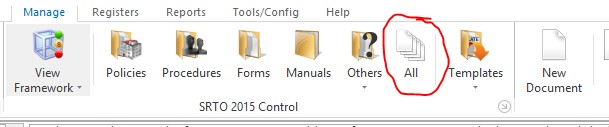
- Click on the All documents classification button as shown below.
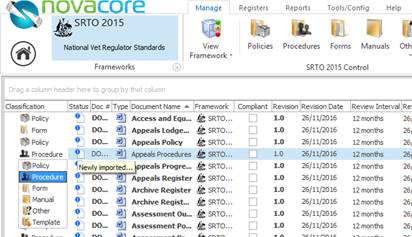
- Choose the classification near the document you want to change.
- Once you choose the classification, a dropdown menu will appear and then you can change the classification from one to another as shown in the screenshots below.